UltraPal
A downloadable tool for Windows
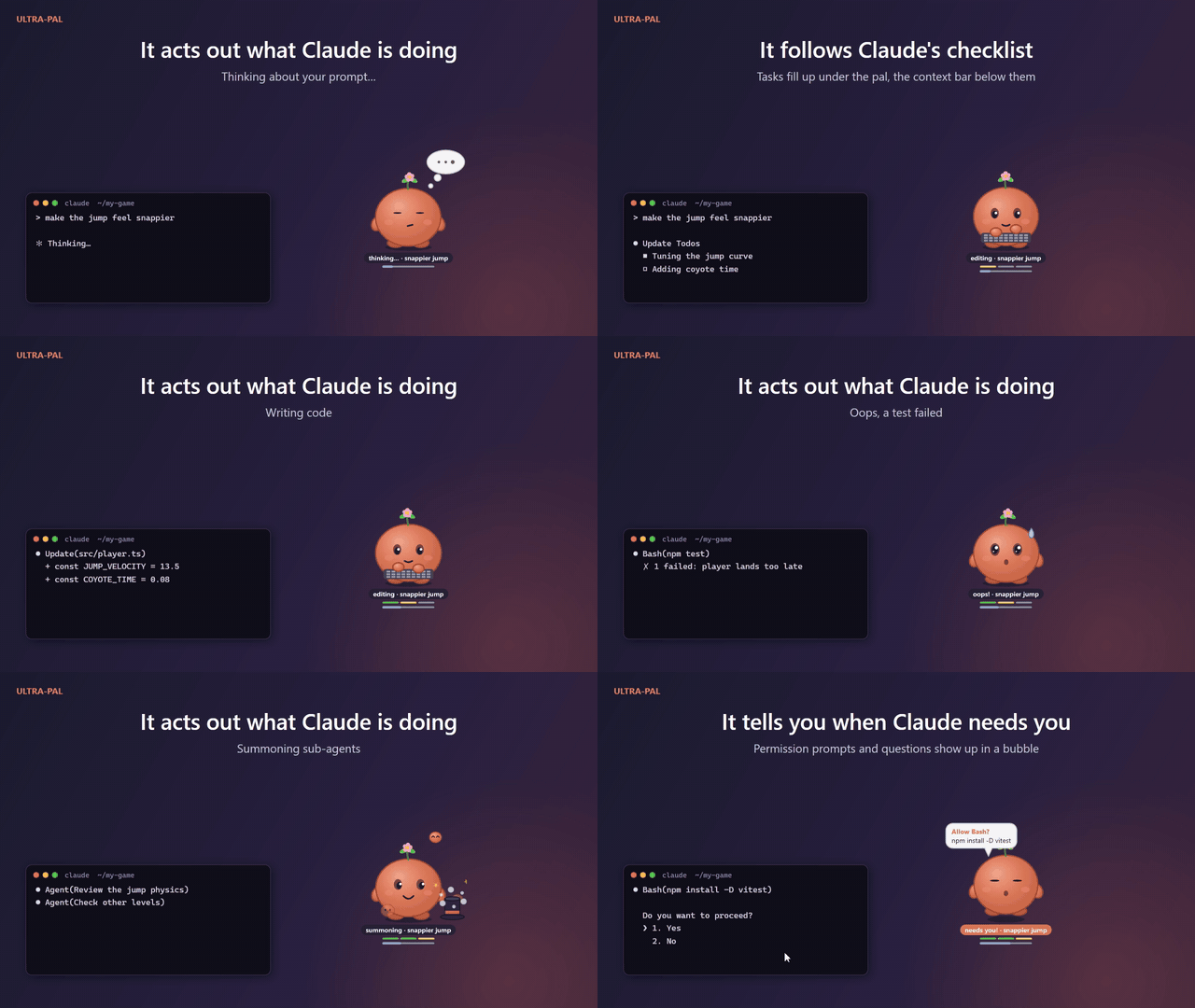
Know what Claude Code is doing, at a glance
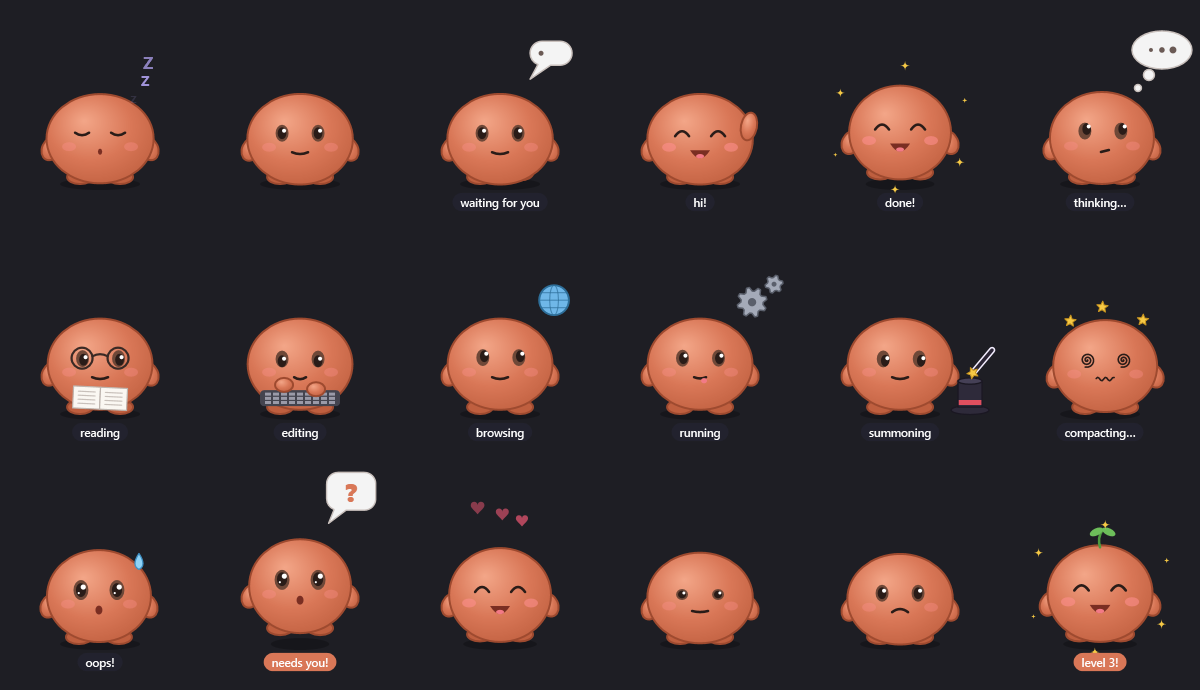
Ultra-Pal is a little creature that lives on your desktop and acts out what Claude Code is doing: thinking, reading, typing, running commands, summoning agents, asking you something, celebrating when a task is done, or dozing off when nothing happens.
Keep your terminal behind other windows and still know when Claude is busy, when it is done, and when it is waiting for you. Turn on the beep and you will never come back to a session that sat waiting for twenty minutes.
Windows 10 or 11 (64-bit) and Claude Code. Nothing else to install.
Features
- Live animations for every Claude Code activity, in a transparent, always-on-top window.
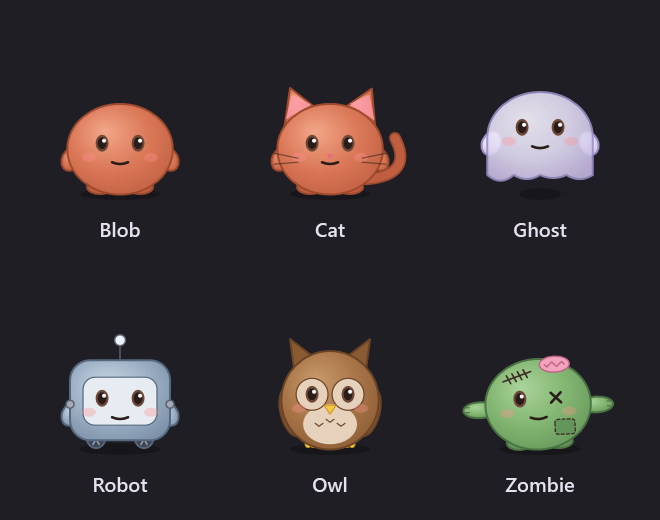
- Six species to choose from: Blob, Cat, Ghost, Robot, Owl and Zombie.
- A beep when it needs you, when Claude asks a question or waits for your answer.
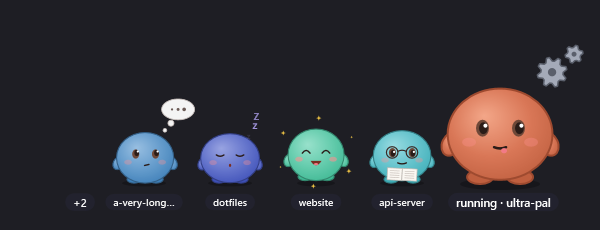
- One pal per session: every extra Claude Code session gets a smaller friend next to it.
- Levels up as Claude works. Hover it to see its session details and stats.
- Stays out of the way: drag it anywhere (the position is remembered), hide it for an hour, and it quits by itself after 2 hours without a session.
- Pet it with a click. Double-click to bring its terminal to the front.
Private by design
Ultra-Pal sends nothing over the network. It only receives event names, tool names and project folder names from Claude Code hooks, through a local pipe that only your Windows user can open.
The hook never changes what Claude does: it prints nothing, always succeeds, and gives up after 150 ms.
Install
- Before extracting, right-click the zip > Properties > tick Unblock > OK. Windows marks downloaded files, and the executables are not code-signed, so without this SmartScreen may block the pal.
Already extracted? In PowerShell, inside the folder, run:Get-ChildItem -Recurse | Unblock-File
- Extract the UltraPal folder somewhere it can stay, for example
C:\Tools\UltraPal. Claude Code reads the plugin from there. - In Claude Code, type these two commands, and choose the user scope:
/plugin marketplace add C:\Tools\UltraPal
/plugin install ultra-pal@ultra-pal
The pal appears with the next session you start, or the next prompt you send.
"Invalid marketplace source format"? Type the full path, starting with the drive letter, without quotes (spaces are fine). If it still fails, update Claude Code with claude update in a terminal, then try again.
The download is 62 MB because it is self-contained: no .NET or other runtime to install.
Update
Extract the new version over the old folder, then in Claude Code:
/plugin marketplace update ultra-pal
/plugin update ultra-pal@ultra-pal
Then restart your sessions.
Pause or remove
- Pause it: right-click > Hide for 1 hour
- Turn it off:
/plugin disable ultra-pal@ultra-pal - Uninstall:
/plugin uninstall ultra-pal@ultra-pal, then/plugin marketplace remove ultra-pal - Delete its data: delete the folder
%APPDATA%\UltraPal - Kill switch: set the environment variable
ULTRA_PAL_DISABLE=1
Ultra-Pal is an independent product by DomDumont. It is not affiliated with, endorsed or sponsored by Anthropic. Claude and Claude Code are trademarks of Anthropic. See LICENSE.txt in the download for the terms of use.
Download
Click download now to get access to the following files:

Leave a comment
Log in with itch.io to leave a comment.